
Theoretical background
According to Eurocode 2nd order effects (EN 1992-1-1 §5.1.4 (1)P) and imperfections (EN 1992-1-1 §5.2 (2)P) must be taken into account.
- For the 2nd order effects (EN 1992-1-1 §5.8.5), you
- either do the calculation according to the general method based on a non-linear 2nd order calculation (see EN 1992-1-1 §5.8.2 (2)P, §5.8.5 (1), §5.8.6 and §5.7).
- either use one the two simplified methodes:
- method based on nominal stiffness (see EN 1992-1-1 §5.8.7): not implemented in Diamonds
- method based on nominal curvature (see EN 1992-1-1 §5.8.8)
In this method the 2nd order effects are taking into account by increasing the 1st order bending moment MEd with a nominal second order moment equal to e2 x NEd.MEd.reinforcement = MEd + e2 x NEd
e2 [mm] is function of the effective length (syn. buckling length).
- The imperfections can be represented by an inclination θi. The inclination θi may be taken into account (EN 1992-1-1 §5.2 (7)):
- either by translating the inclination θi to equivalent horizontal forces (= ‘Global imperfections’ in Diamonds)
- either by translating the inclination θi to an accidendental eccentricity ei
In this method the imperfections are taking into account by increasing the 1st order bending moment MEd with an additonal moment equal to ei x NEd.MEd.reinforcement = MEd + ei x NEd
The default value for ei is set to 20mm in acccordance to EN 1992-1-1 §6.1(4). But this is a minimum value. You should check if a higher value might apply to your model (using EN 1992-1-1 equ. 5.2)
So if you would use the simplyfied method for both the 2nd order effects and the imperfections, you will end up with the following bending moment:
MEd.reinforcement = MEd + e2 x NEd + ei x NEd = MEd + NEd x (e2 + ei)
How is the theory implemented in Diamonds?
Depending on the selected options during the elastic analysis  , you will have to (un)check some options in the Buckling parameters window
 . An overview:
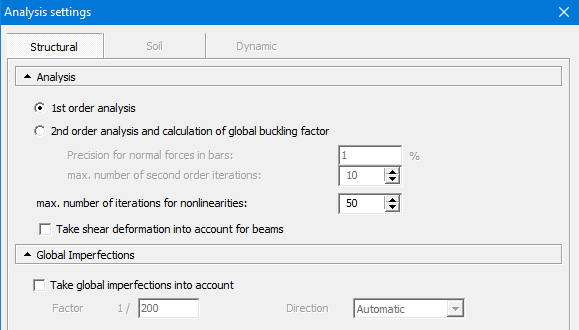
Case 1: assume you do a 1st order calculation [Recommended and most often used option]
 |
⇒ | Then:
So, in the window
|

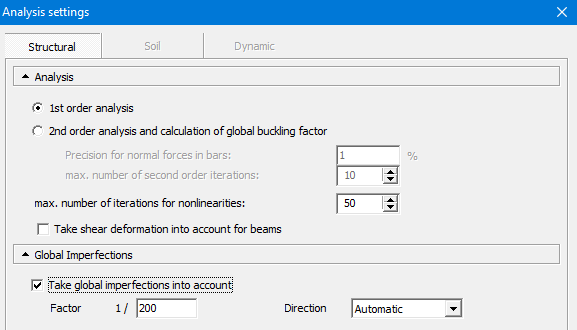
Case 2: assume you do a 1st order calculation + global imperfections
 |
⇒ | Then:
So, in the window
|

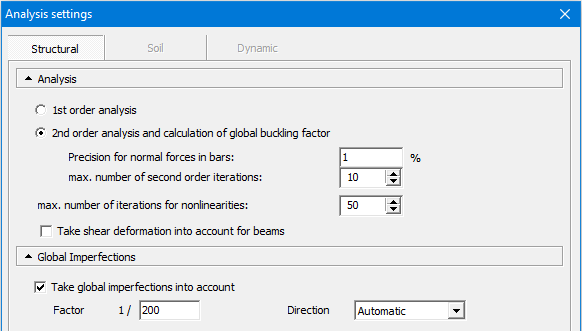
Case 3: assume you do a 2nd order calculation + global imperfections
 |
⇒ | Then:
So, in the window
|

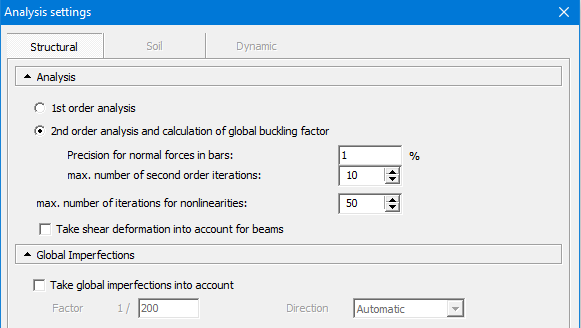
Case 4: assume you do a 2nd order calculation
 |
⇒ | Then:
So, in the window
|

Notes:
- If your model contains multiple independent structures (for example: isolated columns), and you want to take global imperfections into account: make one Diamonds-file for each structure. Because Diamonds only remember the worst direction of the global imperfection, not the enveloppe. That direction can be the worst for structure 1, be not necessarily for structure 2.
- In Diamonds the reinforcement pattern “Optimal” is the default. However, this doesn’t always results in the most economic reinforcement. Read more about it.
